> ## Documentation Index
> Fetch the complete documentation index at: https://docs.dataerai.com/llms.txt
> Use this file to discover all available pages before exploring further.
# AI policy & access
> Control whether your organization may use external AI providers, and which provider tier serves AI search. Local inference is governed separately from cloud providers.
AI features are **opt-in per organization**, and each member can opt out for themselves. This page explains the controls an organization admin uses, the per-member opt-in, and how they interact with [agent configuration](/ai/agent-configuration).
## Allow external AI
The **Allow external AI providers** setting governs whether an organization's data may be sent to a *third-party* AI service (for example a hosted cloud model). It is **off by default** — a new organization cannot use external providers until an admin turns it on.
This setting gates **external** providers only. If your organization runs AI search through a **local** model — Dataerai's built-in self-hosted provider, or your own Ollama via [agent configuration](/ai/agent-configuration) — no data leaves your infrastructure, so AI search works **without** flipping this on.
That distinction matters in practice:
| Your setup | Needs "Allow external AI"? |
| ------------------------------------- | -------------------------- |
| Built-in or self-hosted local model | No |
| Your own Ollama (agent configuration) | No |
| Hosted cloud provider | **Yes** |
## Provider tier preference
When external AI is allowed, the **provider tier preference** chooses which class of provider serves your requests:
| Tier | Meaning |
| ----------------------------- | ---------------------------------------------------------------- |
| **ZDR (Zero Data Retention)** | A cloud provider operated under a zero-data-retention agreement. |
| **Private Endpoint** | A provider reached through your own private/managed endpoint. |
If a member belongs to more than one organization, the **most restrictive** tier across them applies. The same most-restrictive rule governs whether external AI is allowed at all: if *any* of a member's organizations has external AI off, that organization's policy wins unless local inference is configured.
## Allow per-user agent configuration
A separate organization checkbox, **Allow per-user agent configuration**, controls whether members may point AI search at their own local model through [agent configuration](/ai/agent-configuration), instead of using the organization default. It is **off by default** — until an admin turns it on, only the organization's settings apply. A member's personal endpoint must resolve to a local address; pointing it at a public host is still gated by **Allow external AI providers**.
## The per-member opt-in
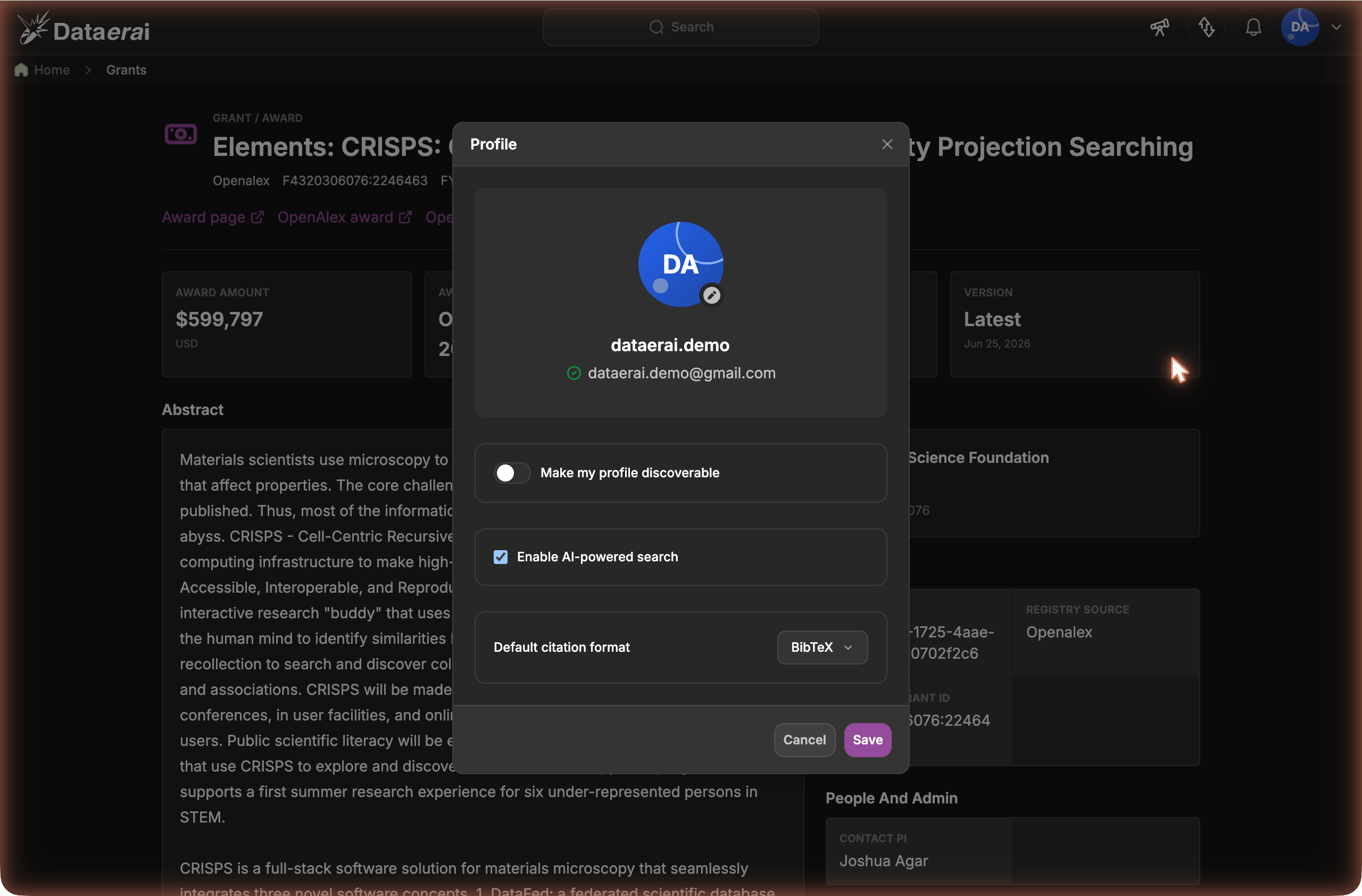
Even when an organization has enabled AI, each member can turn the feature off for themselves. The **Enable AI-powered search** checkbox in **Profile** settings controls this; it is **on by default**. Both gates must be satisfied for the AI search box to appear — a member who has opted out won't see it, even in an organization that permits AI.
 ## Where to set these
Organization admins find the organization controls in **Organization settings**, alongside the [agent configuration](/ai/agent-configuration) fields. The per-member opt-in lives in each member's **Profile** settings. No database access or support ticket is required.
## Next steps
Run AI search on your own models.
What members get once AI is enabled.
## Where to set these
Organization admins find the organization controls in **Organization settings**, alongside the [agent configuration](/ai/agent-configuration) fields. The per-member opt-in lives in each member's **Profile** settings. No database access or support ticket is required.
## Next steps
Run AI search on your own models.
What members get once AI is enabled.