> ## Documentation Index
> Fetch the complete documentation index at: https://docs.dataerai.com/llms.txt
> Use this file to discover all available pages before exploring further.
# Person details
> Open a person from People search to see their publications, grants, and co-authors — each panel searchable, sortable, and paged.
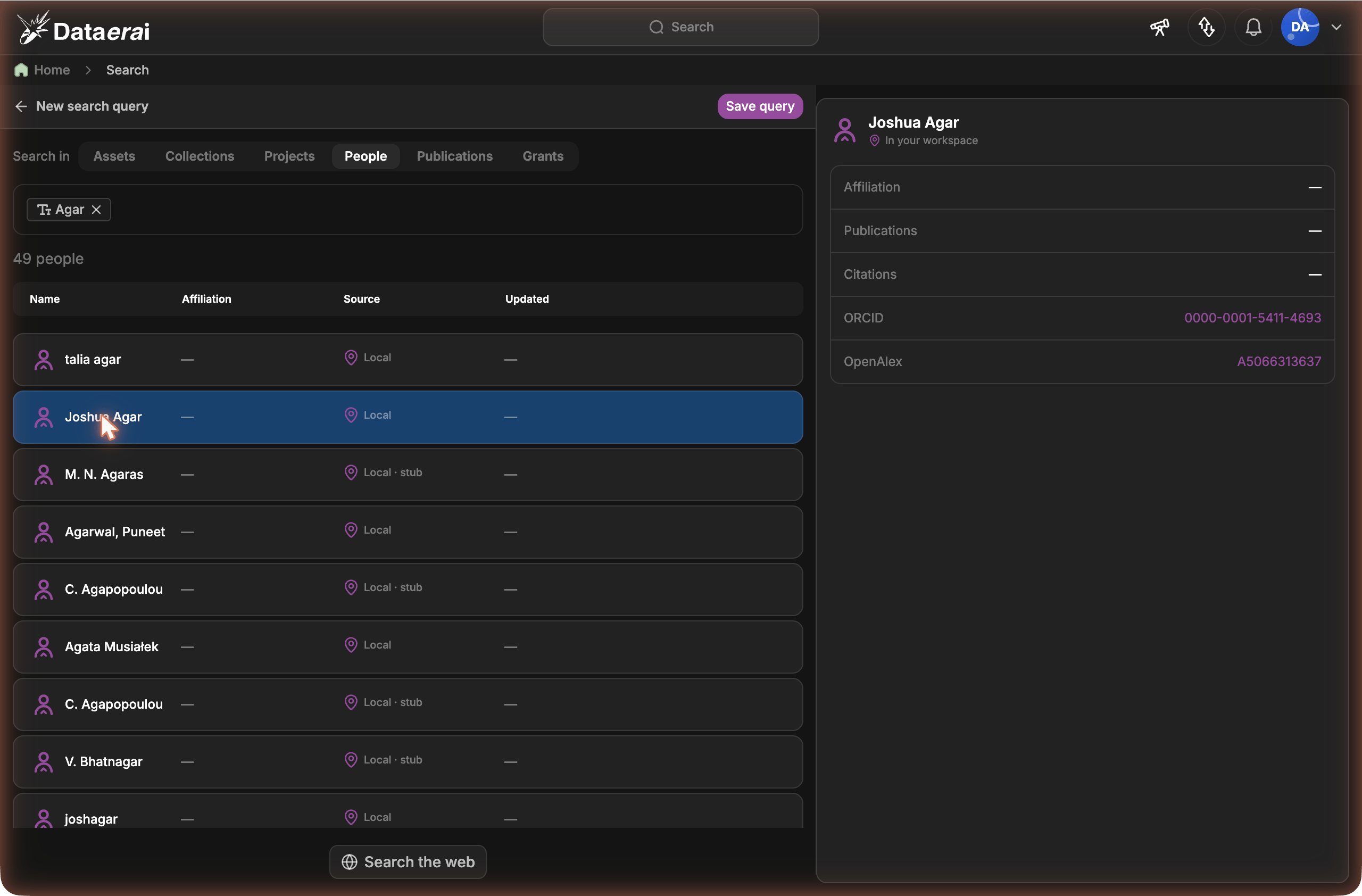
When you find a person in [People search](/discover/people-search) and open one
from **your workspace**, Dataerai shows their **person detail page**: an
identity header plus three panels — **Publications**, **Grants**, and
**Co-authors**.
The detail page is for people **in your workspace**. A result that's only on
OpenAlex shows a preview with an **Import** action instead — import it first
to get the full detail page.
## The header
At the top you'll see the person's name and, where known:
* **ORCID** — links to their `orcid.org` profile (only when the identifier is a
valid ORCID; otherwise it's shown as plain text).
* **OpenAlex** — their OpenAlex author id.
* **Affiliation** — their primary institution.
* **Research identifiers** — **Scopus**, **ResearcherID**, **Google Scholar**,
and **PubMed** author ids, when present.
* the source the record came **via** (e.g. `openalex`), and a **stub** tag if
the record is a lightweight placeholder.
On **your own** person page you'll also see your **email** and **phone** —
these contact details are visible only to you.
 ## Edit your profile
When you open **your own** person page — your account is linked to one canonical
person record — an **Edit profile** button appears next to your name. You can
also jump straight here from the user menu (top-right) → **Edit profile**.
Click **Edit profile** (on your page, or from the user menu). Your identity
header turns into a form.
Edit any of **Full name**, **Affiliation**, **ORCID iD**, **GitHub**,
**Phone**, and your research identifiers — **Scopus Author ID**,
**ResearcherID**, **Google Scholar ID**, **PubMed Author ID**. Leave a field
blank to clear it.
Click **Save profile** — your page updates immediately. **Cancel** discards
your changes.
### Verified fields
When you connect an account under **Settings → Identities & Credentials**,
Dataerai fills the matching profile field from that verified identity and shows a
green **Verified** checkmark next to it:
* **ORCID** → your **ORCID iD**
* **GitHub** → your **GitHub** username
A verified field is **locked** — it's shown read-only in the editor because the
value comes from an account you've proven you control. To change it, **unlink**
that provider under [Settings → Identities & Credentials](/account/identities);
the field then becomes editable again.
Only you can edit your own profile. Your **ORCID iD** must be a valid ORCID
(for example `0000-0002-1825-0097`), and an identifier already linked to
another person can't be reused.
Your **email address** is managed separately, under **Profile** in the user
menu, because changing it requires email verification. See
[Your profile & account](/account/profile).
## Publications
Every publication linked to the person. Each row shows the title, year,
**journal**, citation count, **impact factor** (shown as `IF`), and an
**OpenAlex** link, with badges like **Open access** and **First author**.
Type in **Search publications…** to filter the list by title.
Use the **Sort** dropdown — **Year**, **Citations**, **Journal**, or
**Impact factor**.
Use **Prev** / **Next** to move between pages; the count reads
**Showing X–Y of N**.
**Impact factor** is the journal's 2-year mean citedness from OpenAlex (the
open metric closest to a journal impact factor). A journal that hasn't been
enriched yet shows no value and sorts to the end.
## Grants
Grants the person is linked to — title, funding agency, amount, award period,
and their role. Sort with the **Sort** dropdown by **Year**, **Funding agency**,
or **Amount**, and page with **Prev** / **Next**.
## Co-authors
People they've published with. Each row links to that co-author's own detail
page and shows their **affiliation** and how many **shared works** you have in
common (their collaboration frequency).
* **Search co-authors…** filters by name.
* **Sort** by **Collaboration** (most shared works first) or **Most recent**.
* **Prev** / **Next** page through the list.
## Edit your profile
When you open **your own** person page — your account is linked to one canonical
person record — an **Edit profile** button appears next to your name. You can
also jump straight here from the user menu (top-right) → **Edit profile**.
Click **Edit profile** (on your page, or from the user menu). Your identity
header turns into a form.
Edit any of **Full name**, **Affiliation**, **ORCID iD**, **GitHub**,
**Phone**, and your research identifiers — **Scopus Author ID**,
**ResearcherID**, **Google Scholar ID**, **PubMed Author ID**. Leave a field
blank to clear it.
Click **Save profile** — your page updates immediately. **Cancel** discards
your changes.
### Verified fields
When you connect an account under **Settings → Identities & Credentials**,
Dataerai fills the matching profile field from that verified identity and shows a
green **Verified** checkmark next to it:
* **ORCID** → your **ORCID iD**
* **GitHub** → your **GitHub** username
A verified field is **locked** — it's shown read-only in the editor because the
value comes from an account you've proven you control. To change it, **unlink**
that provider under [Settings → Identities & Credentials](/account/identities);
the field then becomes editable again.
Only you can edit your own profile. Your **ORCID iD** must be a valid ORCID
(for example `0000-0002-1825-0097`), and an identifier already linked to
another person can't be reused.
Your **email address** is managed separately, under **Profile** in the user
menu, because changing it requires email verification. See
[Your profile & account](/account/profile).
## Publications
Every publication linked to the person. Each row shows the title, year,
**journal**, citation count, **impact factor** (shown as `IF`), and an
**OpenAlex** link, with badges like **Open access** and **First author**.
Type in **Search publications…** to filter the list by title.
Use the **Sort** dropdown — **Year**, **Citations**, **Journal**, or
**Impact factor**.
Use **Prev** / **Next** to move between pages; the count reads
**Showing X–Y of N**.
**Impact factor** is the journal's 2-year mean citedness from OpenAlex (the
open metric closest to a journal impact factor). A journal that hasn't been
enriched yet shows no value and sorts to the end.
## Grants
Grants the person is linked to — title, funding agency, amount, award period,
and their role. Sort with the **Sort** dropdown by **Year**, **Funding agency**,
or **Amount**, and page with **Prev** / **Next**.
## Co-authors
People they've published with. Each row links to that co-author's own detail
page and shows their **affiliation** and how many **shared works** you have in
common (their collaboration frequency).
* **Search co-authors…** filters by name.
* **Sort** by **Collaboration** (most shared works first) or **Most recent**.
* **Prev** / **Next** page through the list.