> ## Documentation Index
> Fetch the complete documentation index at: https://docs.dataerai.com/llms.txt
> Use this file to discover all available pages before exploring further.
# Key concepts
> How organizations, projects, collections, assets, datasets, transfers, storage, groups, and permissions fit together in Dataerai.
Start here if the product terms are new.
The most important ideas are:
* Where your data lives.
* How records are grouped.
* Who can access them.
* How files move in and out.
Your institution or lab's home. Holds projects, members, and storage.
A workspace for a study, grant, or effort.
A nestable container that groups assets within a project.
A file (or bundle) plus its metadata, notes, and relationships.
A versioned, analysis-ready view of your data.
An upload or download of file content.
## The hierarchy
Data nests from broad to specific:
**Organization → Project → Collection → Asset → Content**
An **organization** contains **projects**. A project contains **collections**.
Collections hold **assets**, and an asset holds file **content**.
Access usually flows down the hierarchy: a person who can read a project can read
the collections and assets inside it, unless access is changed on a specific
item.
 ## Organizations and members
An **organization** is the top-level home for your institution, lab, or company. Every member of an organization has a role:
| Role | What it allows |
| ---------- | ---------------------------------------------------------------------------------- |
| **Member** | Work within the organization's projects according to the permissions they're given |
| **Admin** | Manage the organization and its members |
## Organizations and members
An **organization** is the top-level home for your institution, lab, or company. Every member of an organization has a role:
| Role | What it allows |
| ---------- | ---------------------------------------------------------------------------------- |
| **Member** | Work within the organization's projects according to the permissions they're given |
| **Admin** | Manage the organization and its members |
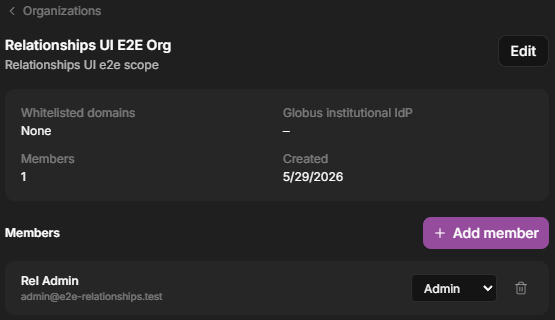 See [Organizations & members](/account/organizations).
## Projects
A **project** is the primary workspace, typically one per study, grant, or
effort. Within a project, members have a role:
| Role | What it allows |
| ----------- | ------------------------------------------------------------- |
| **Member** | View and work with project data they have access to |
| **Manager** | Create and manage content in the project |
| **Admin** | Full control of the project, including sharing and membership |
The person who creates a project is its Admin. See [Projects & members](/account/projects).
See [Organizations & members](/account/organizations).
## Projects
A **project** is the primary workspace, typically one per study, grant, or
effort. Within a project, members have a role:
| Role | What it allows |
| ----------- | ------------------------------------------------------------- |
| **Member** | View and work with project data they have access to |
| **Manager** | Create and manage content in the project |
| **Admin** | Full control of the project, including sharing and membership |
The person who creates a project is its Admin. See [Projects & members](/account/projects).
 ## Collections
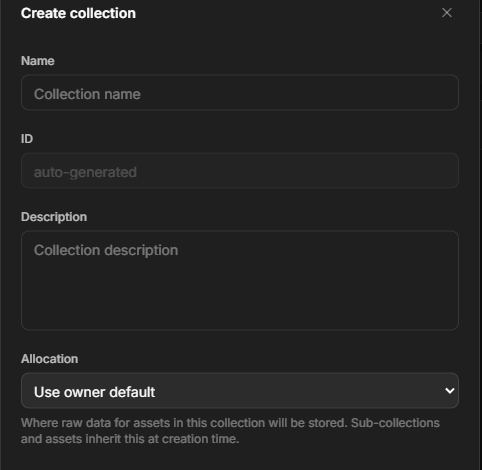
A **collection** is a folder-like container that groups assets inside a project.
Collections can nest, so you can organize data by experiment, instrument, sample,
or date. See [Collections](/organize/collections).
## Collections
A **collection** is a folder-like container that groups assets inside a project.
Collections can nest, so you can organize data by experiment, instrument, sample,
or date. See [Collections](/organize/collections).
 ## Assets and content
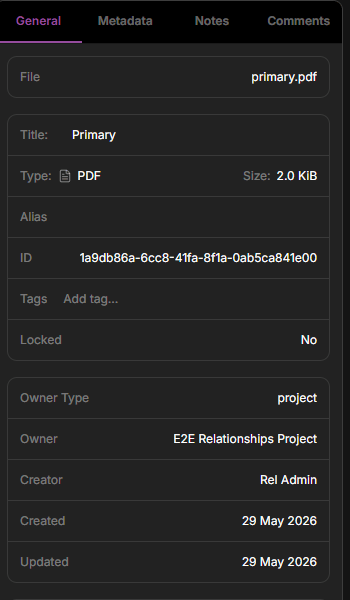
An **asset** is the core unit of data. It combines:
* **Metadata** — title, description, tags, and structured fields (often extracted automatically from instrument files).
* **Content** — the actual file or files. An asset can exist *before* its content is uploaded, which is useful for metadata-first workflows.
* **Notes** — a Markdown note or README describing protocols, settings, and caveats.
* **Relationships** — links to other assets that capture **provenance** (which data produced which).
See [Assets & content](/organize/assets) and [Provenance](/organize/provenance).
## Assets and content
An **asset** is the core unit of data. It combines:
* **Metadata** — title, description, tags, and structured fields (often extracted automatically from instrument files).
* **Content** — the actual file or files. An asset can exist *before* its content is uploaded, which is useful for metadata-first workflows.
* **Notes** — a Markdown note or README describing protocols, settings, and caveats.
* **Relationships** — links to other assets that capture **provenance** (which data produced which).
See [Assets & content](/organize/assets) and [Provenance](/organize/provenance).
 ## Datasets and versions
A **dataset** is a curated, **versioned** view of data prepared for analysis.
Each version is a snapshot. Dataerai can analyze it to infer structure, such as
columns and types in a table, so it is ready to explore and visualize.
## Datasets and versions
A **dataset** is a curated, **versioned** view of data prepared for analysis.
Each version is a snapshot. Dataerai can analyze it to infer structure, such as
columns and types in a table, so it is ready to explore and visualize.
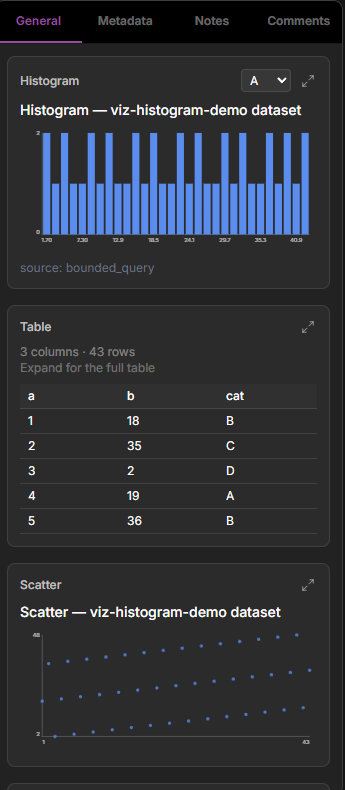 See [Datasets](/datasets/overview).
## Transfers
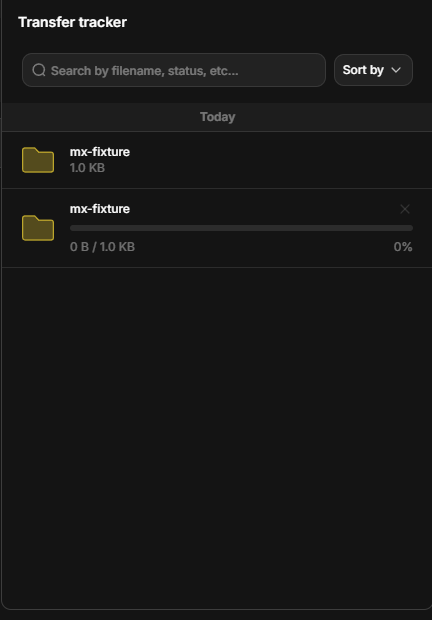
A **transfer** is an upload or download.
Dataerai is built for large scientific files, so transfers can resume if
interrupted. You can transfer in the browser, or with the
[desktop app and CLI](/data/desktop-and-cli).
See [Datasets](/datasets/overview).
## Transfers
A **transfer** is an upload or download.
Dataerai is built for large scientific files, so transfers can resume if
interrupted. You can transfer in the browser, or with the
[desktop app and CLI](/data/desktop-and-cli).
 ## Storage: repositories and allocations
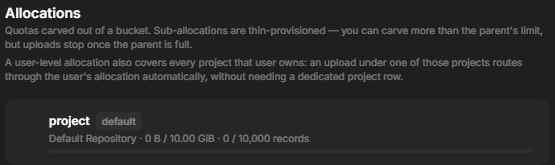
Your data lives in a **repository**. Your team gets a storage **allocation** in
that repository.
Most of the time this is set up for you. You will mainly notice it when choosing
where new data goes or checking usage. See [Storage](/account/storage).
## Storage: repositories and allocations
Your data lives in a **repository**. Your team gets a storage **allocation** in
that repository.
Most of the time this is set up for you. You will mainly notice it when choosing
where new data goes or checking usage. See [Storage](/account/storage).
 ## Groups and permissions
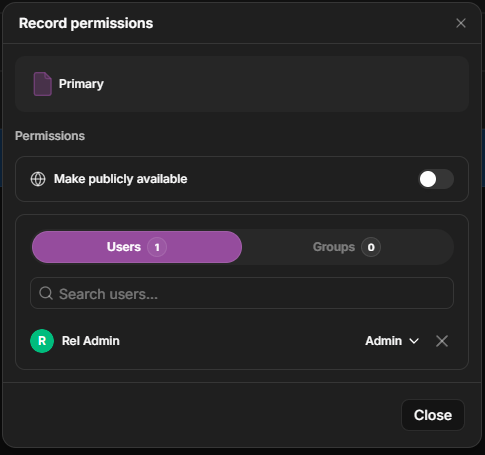
Access is controlled **per object** — project, collection, asset, or dataset — using three roles:
| Role | What it allows |
| --------- | -------------------------------------------- |
| **Read** | View metadata, content, and notes |
| **Write** | Read, plus edit metadata, content, and notes |
| **Admin** | Write, plus share the object with others |
You can grant a role to an individual, to a **group** of people, or to the **public**. Public access is always read-only: any signed-in user who has the link can view, but no one without an account can. Datasets can also mark sensitive **restricted fields** that are hidden from people who lack an extra grant to view them.
## Groups and permissions
Access is controlled **per object** — project, collection, asset, or dataset — using three roles:
| Role | What it allows |
| --------- | -------------------------------------------- |
| **Read** | View metadata, content, and notes |
| **Write** | Read, plus edit metadata, content, and notes |
| **Admin** | Write, plus share the object with others |
You can grant a role to an individual, to a **group** of people, or to the **public**. Public access is always read-only: any signed-in user who has the link can view, but no one without an account can. Datasets can also mark sensitive **restricted fields** that are hidden from people who lack an extra grant to view them.
 See [Sharing & permissions](/sharing/permissions).
## Attribution
Dataerai connects your data to the research record.
You can connect data to:
* **Grants** that funded it.
* **Publications** it supports.
* **People** who contributed.
See [Attribution](/attribution/grants).
See [Sharing & permissions](/sharing/permissions).
## Attribution
Dataerai connects your data to the research record.
You can connect data to:
* **Grants** that funded it.
* **Publications** it supports.
* **People** who contributed.
See [Attribution](/attribution/grants).