Email and password — provide your name, email, and a password.
Continue with Globus — sign in through a trusted identity provider, such as your university or Google. If your organization uses Globus, this is the quickest way in, and it can join you to your organization automatically.
After a Dataerai email/password sign-up, Dataerai sends a verification link to your email. Open it to activate your account, then sign in. Email verification is only required for Dataerai email/password accounts, not Globus sign-in.
Sign in with your email and password, or with Globus. If you forget your password, use Forgot password to receive a reset link by email.If you signed up with an email and password, you can change it any time from your profile: choose Change password, enter your current password, then set and confirm a new one (minimum 8 characters). The option doesn’t appear for Globus sign-in, which doesn’t use a Dataerai password.
From your profile you can update your name, choose a generated avatar style and color, or upload an avatar photo with a crop step so it looks right. If you do not upload a photo, Dataerai shows a branded generated avatar using your first and last initials. Your name and avatar are how teammates recognize you across projects and shared data.
1
Open the user account menu
Open the user account menu in the top-right corner of the app.
The user account menu — Profile, Settings, theme, and Sign out.
2
Open and edit your profile
Choose Profile, then update your name and email, choose an avatar style and color, upload an avatar photo if you want one, and adjust your settings.
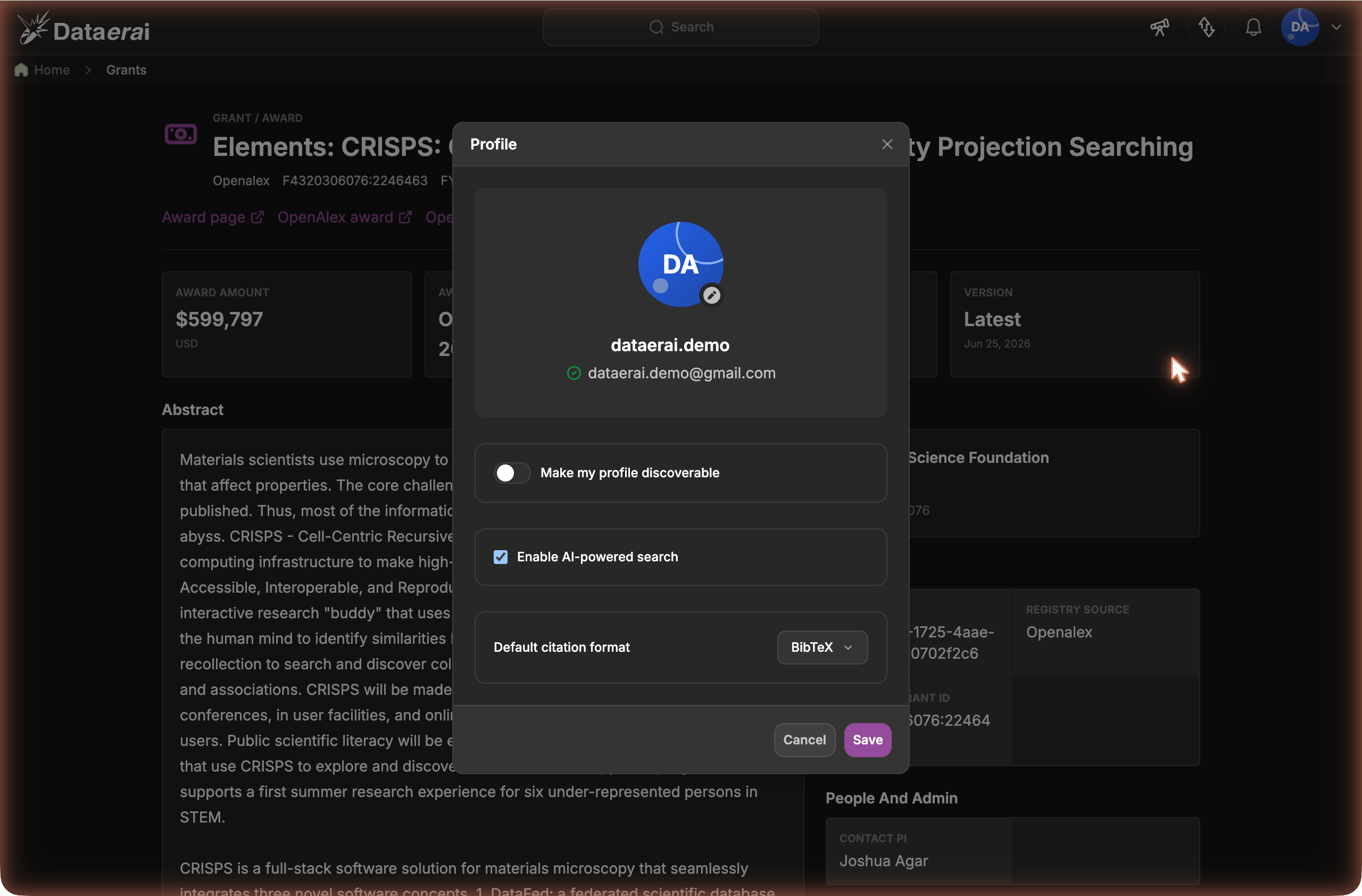
The Profile dialog - generated avatar choices, profile photo, name, email, and your settings.
Uploaded photos take precedence over generated avatars. If you delete your uploaded photo, Dataerai shows the generated avatar style and color you selected.
Lets people outside your organization find your profile — for example, in a people search across the platform. Leave it off to keep your profile visible only within your own organization.
Enable AI-powered search
Turns AI-assisted search on or off for your account. It’s on by default; turn it off to opt out and use ordinary search only.
Default citation format
Sets the format the citation panel uses by default when you copy or download a citation. Choose BibTeX, RIS, APA, MLA, or Chicago. You can still switch formats per citation.
Changes take effect when you click Save.
Your profile: make yourself discoverable, enable AI-powered search, and set a default citation format.
Profile here manages your account — name, avatar, email, and settings.
To edit your researcher profile — affiliation, ORCID iD, phone, and your
Scopus / ResearcherID / Google Scholar / PubMed ids — choose Edit profile
from the user menu to open your
person page.