

Supported formats
Dataerai currently extracts metadata from these formats:
Other file types upload normally; they just don’t have extracted metadata. Support for more formats is added over time.
Review before you upload
When you add a recognized file in the upload panel, Dataerai shows a metadata preview before the upload starts: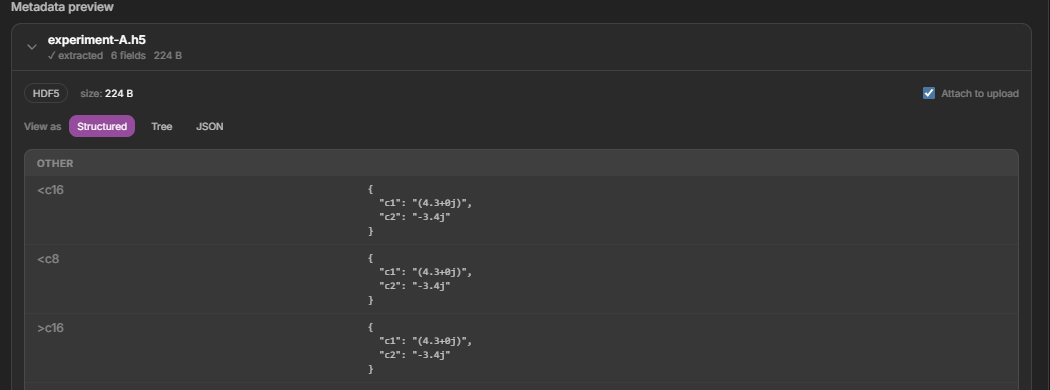
A recognized file's metadata preview in the upload panel — extracted fields, the detected type, and an Attach toggle.
- See the extracted fields, grouped to match the instrument (for example, XRD shows X-ray source, Geometry, and Scan).
- Switch between Structured, Tree, and JSON views of the same metadata.
- Edit any value inline, or edit the raw JSON directly.
- Use the Attach to upload toggle to decide whether the extracted metadata is saved with the asset.
Very large files (over about 100 MB) skip the in-dialog preview, but their metadata is still extracted automatically after the upload finishes.
Run extraction later
If a file uploaded before extraction was available, or a previous attempt failed, open the asset’s Metadata tab. It shows the current Extraction status and the detected Data type, and offers an Extract metadata action to run extraction on the latest content.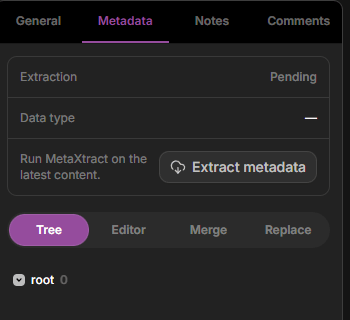
An asset's Metadata tab — extraction status, the detected data type, the Extract metadata action, and results as a structured-field tree.
Validation issues
For some formats, the preview checks the extracted values and lists any validation issues so you can catch a bad file early. Each issue is marked as an error, a warning, or info — for example, an XRD scan with an unusually low tube voltage, zero current, or a missing anode material.It’s searchable
Extracted metadata is available to search alongside the metadata you add yourself, so you can filter assets by instrument settings and other captured fields.Next steps
Upload in the browser
Add files and review their extracted metadata.
Search & discover
Find assets by metadata, tags, and more.
Extract it yourself
Run the same extraction in Python with
dataerai-sdk[metaextract].