

- Metadata — title, description, tags, and structured fields.
- Content — the actual file or files.
- Notes — a Markdown description for context.
- Relationships — links to other assets that capture provenance.
- Identity — a citable DID and a ready-to-copy citation.
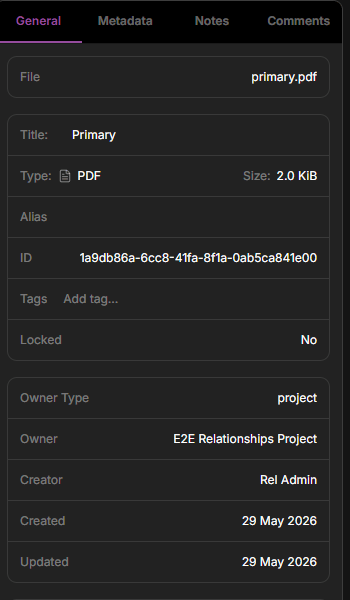
An asset's detail panel: metadata, type and size, owner, allocation, and relationships, with tabs for Metadata, Notes, and Comments.
Metadata
Every asset has metadata you can edit — its title, description, and tags — plus structured fields. Structured fields can be extracted automatically from recognized instrument files, and you can add or edit your own. Metadata is what makes assets findable in search.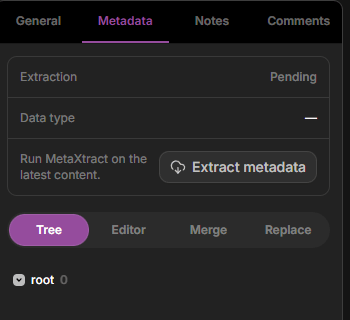
The Metadata tab — extraction status, data type, the Extract metadata action, and the structured-field tree.
Asset type
Use Asset type to describe the broad class of work an asset represents. Pick the general category, such as Dataset, Sample / Specimen, Synthesis, Fabrication, Imaging, Spectroscopy, Quality Control, Simulation, or Analysis. Keep method-specific details in tags or metadata. For example, choose Imaging for microscopy data and add tags such asAFM or SEM when those details help you search later.
You can choose Asset type when you create an asset. If you have Write access to an existing asset, you can also update it from the General information panel.
Content
Content is the file or files attached to an asset. You add content by uploading in the browser or with the desktop app and CLI. An asset can also exist with no content yet — create it from its metadata first and attach files later. This is useful when you want to describe and register data before it’s measured, or stand up the structure of a study ahead of time. See Create an asset before uploading.Preview PDFs
When an asset’s available content is a PDF, the General tab shows a preview card above the file details. Use the preview to inspect the first page directly from the asset sidebar. At 100%, the page fits the preview width. Use Zoom in PDF preview, Zoom out PDF preview, and Fit PDF preview to width to adjust the page view. Click Expand PDF preview to open the PDF in a full-screen viewer. Use Collapse PDF preview, Close PDF preview, or pressEsc to return to the asset detail panel.
Click Download from either the preview card or the full-screen viewer to save the PDF. The download uses the same permissions and content path as the standard asset download action.
Identity and citation
Every asset gets a stable, citable identifier — a DID — minted automatically when it’s created. You’ll find it on the General tab, where you can copy it for use in a paper or dataset record. See Persistent identifiers for what a DID is and how to publish and verify one. The General tab also has a Citation panel. Pick a Format — BibTeX, RIS, APA, MLA, or Chicago — and Copy or Download a ready-made citation. If you’ve linked a publication to the asset, the citation includes it; otherwise the citation renders from the asset’s DID. See Cite a record.Relationships
The General tab shows the asset’s relationships — directed links to the other assets it was derived from or feeds into. Add, browse, and remove these links here to record how your data came to be. See Provenance & relationships.Notes and comments
Each asset can have a Markdown note — a place to document the protocol, instrument settings, caveats, or anything a future reader (including you) will want to know — and a Comments thread for discussion with @mentions. See Notes, comments & discussion for when to use each.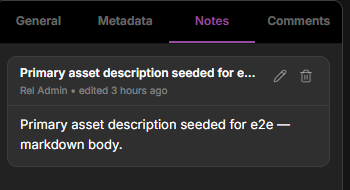
The Notes tab — a rendered Markdown note on the asset.
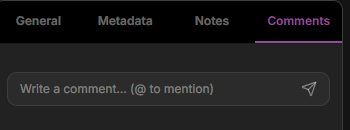
The Comments tab — a threaded discussion with @-mention support.
Stars
Star an asset to bookmark it for quick access later. You can star collections and projects the same way.Locking
Lock an asset to prevent further changes to it — useful once data is final and you want to protect it from edits. Locking is part of the Admin level of permissions.Next steps
Provenance & relationships
Link assets to record how your data came to be.
Search & discover
Find assets by metadata, tags, creator, and collection.