

- it carries the record’s DID — the stable identifier you can publish and resolve;
- it includes a DOI only when you’ve linked a publication. Dataerai never invents one.
The Citation panel
Open a record and find the Citation panel in the sidebar. It shows:- a format selector — BibTeX, RIS, APA, MLA, or Chicago;
- the rendered citation, with Copy and a download button;
- the linked Publication (or No publication linked), its DOI when present, and the record’s DID.
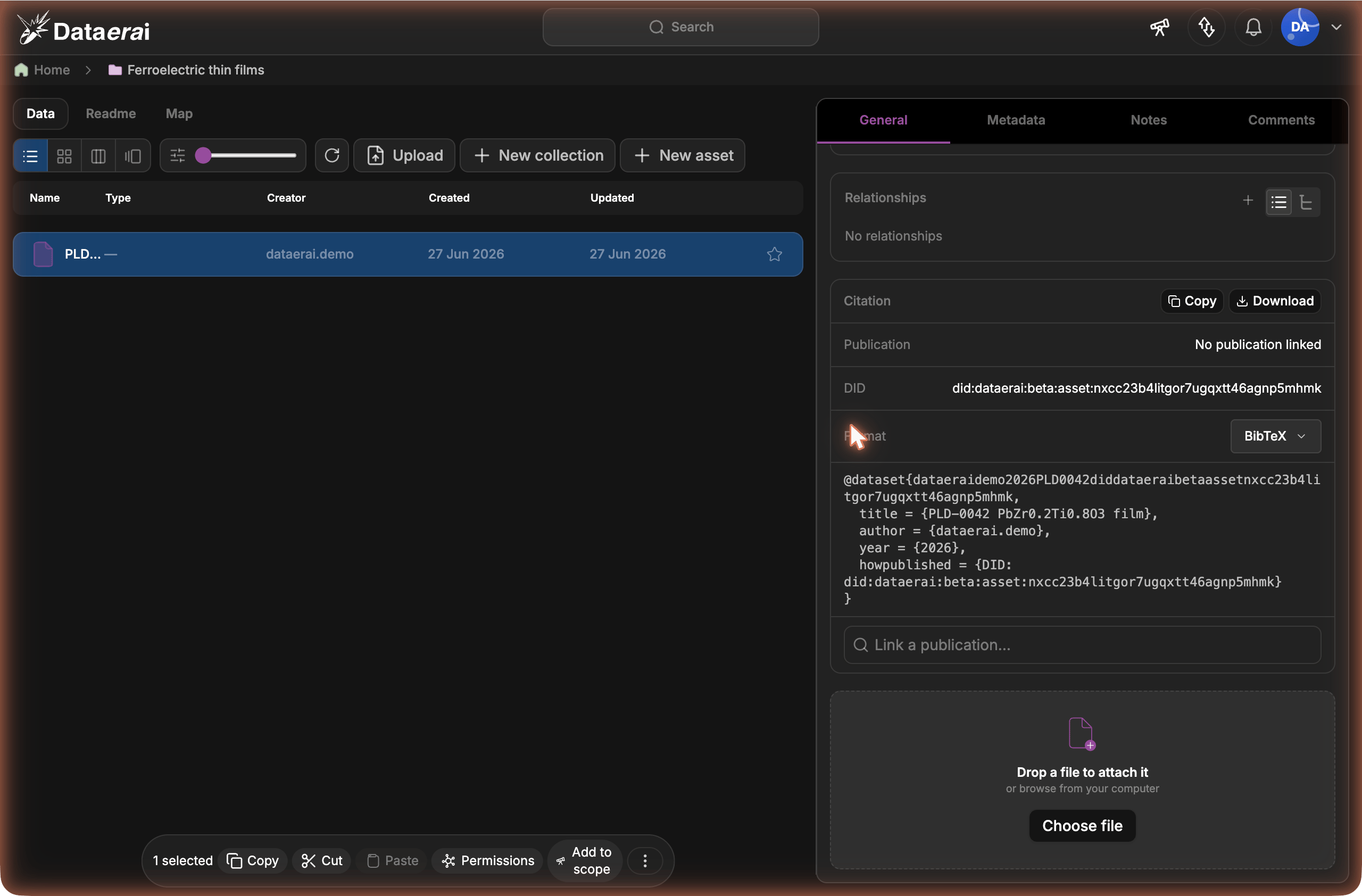
The Citation panel: choose a format, copy or download the citation, and link a publication. The record’s DID is always included.
Copy or download
Pick a format, then:- Copy puts the formatted citation on your clipboard (the button briefly reads Copied).
- The download button saves it as a file —
.bibfor BibTeX,.risfor RIS, or.txtfor APA / MLA / Chicago.
Link a publication
If a record corresponds to a published work, link it so the citation gains the work’s authors, venue, year, and DOI.- In the Citation panel, use Link a publication… to search.
- Pick the matching result. Results come from Dataerai’s combined works search — both works already in your library and works from OpenAlex. Linking an OpenAlex-only work imports just that work (not its references) and attaches it.
- The panel now shows the linked Publication and its DOI, and every format includes the DOI.
Where the authors come from
When a publication is linked, the citation uses the work’s authors, venue, and year. With no publication linked, the record’s creator is used as the author, so an asset-only citation still names someone. The record’s DID is included either way.Linking a publication edits the record, so you need Write access to it (the
same access that lets you edit metadata). Reading a citation needs only Read
access. A locked record can’t be linked or unlinked until it’s unlocked.
Set your default format
So the panel opens in the format you use most, set a default once:- Open your profile settings.
- Set Default citation format to BibTeX, RIS, APA, MLA, or Chicago.
- Save.
Related
- Publish & cite a record — make a record’s DID public and resolvable so others can cite and verify it.