

Allow external AI
The Allow external AI providers setting governs whether an organization’s data may be sent to a third-party AI service (for example a hosted cloud model). It is off by default — a new organization cannot use external providers until an admin turns it on.This setting gates external providers only. If your organization runs AI search through a local model — Dataerai’s built-in self-hosted provider, or your own Ollama via agent configuration — no data leaves your infrastructure, so AI search works without flipping this on.
Provider tier preference
When external AI is allowed, the provider tier preference chooses which class of provider serves your requests:
If a member belongs to more than one organization, the most restrictive tier across them applies. The same most-restrictive rule governs whether external AI is allowed at all: if any of a member’s organizations has external AI off, that organization’s policy wins unless local inference is configured.
Allow per-user agent configuration
A separate organization checkbox, Allow per-user agent configuration, controls whether members may point AI search at their own local model through agent configuration, instead of using the organization default. It is off by default — until an admin turns it on, only the organization’s settings apply. A member’s personal endpoint must resolve to a local address; pointing it at a public host is still gated by Allow external AI providers.The per-member opt-in
Even when an organization has enabled AI, each member can turn the feature off for themselves. The Enable AI-powered search checkbox in Profile settings controls this; it is on by default. Both gates must be satisfied for the AI search box to appear — a member who has opted out won’t see it, even in an organization that permits AI.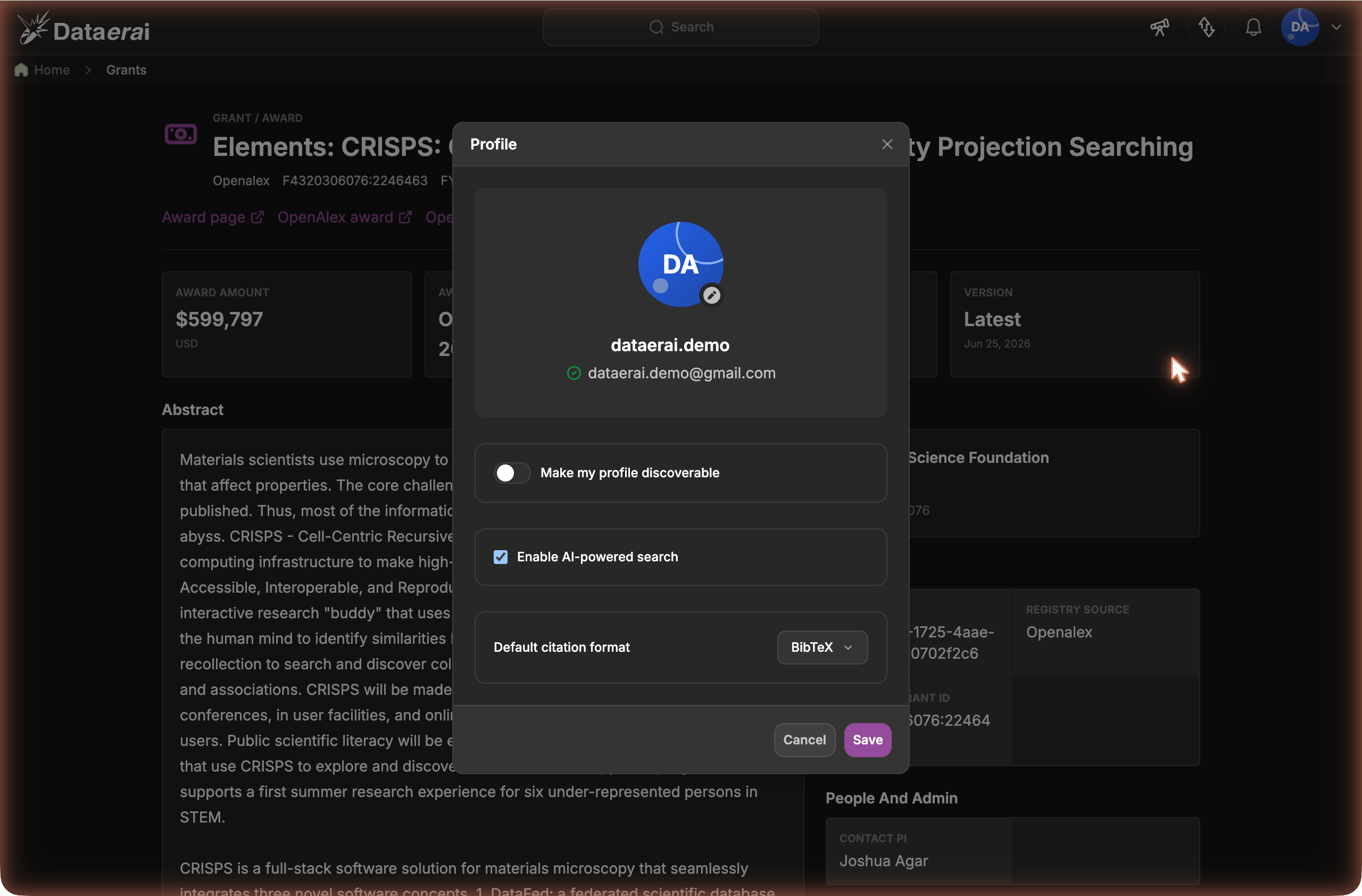
Each member opts in individually with Enable AI-powered search in their profile.
Where to set these
Organization admins find the organization controls in Organization settings, alongside the agent configuration fields. The per-member opt-in lives in each member’s Profile settings. No database access or support ticket is required.Next steps
Agent configuration
Run AI search on your own models.
AI search
What members get once AI is enabled.