

Imported assets are metadata-first: they describe and link to data that lives on Zenodo. Nothing is stored in your Dataerai allocation, so importing doesn’t consume your quota.
Search Zenodo
Open the Import from Zenodo page and enter a Zenodo query, then Search.- The query uses Zenodo’s own search syntax, e.g.
type:dataset,climate model, or a DOI. - Results show Title, Type, Files, Size, and Creators, with the record ID and publication date under each title.
- Use Per page (25, 100, 500, or 1000) to trade clicks for latency. Zenodo’s public API is rate-limited, so the larger page sizes can take from 30 seconds up to a few minutes.
Select and import
1
Select records
Tick the records you want. The header checkbox selects or clears everything on the current page; your selection is kept as you page through results.
2
Choose the destination project
Paste the UUID of the project that should own the new assets into the Import into project field.
3
Import
Click Import. Large selections are sent in batches automatically, and a single Import result panel summarizes how many records were imported (and how many new assets were created), plus any that failed and why.
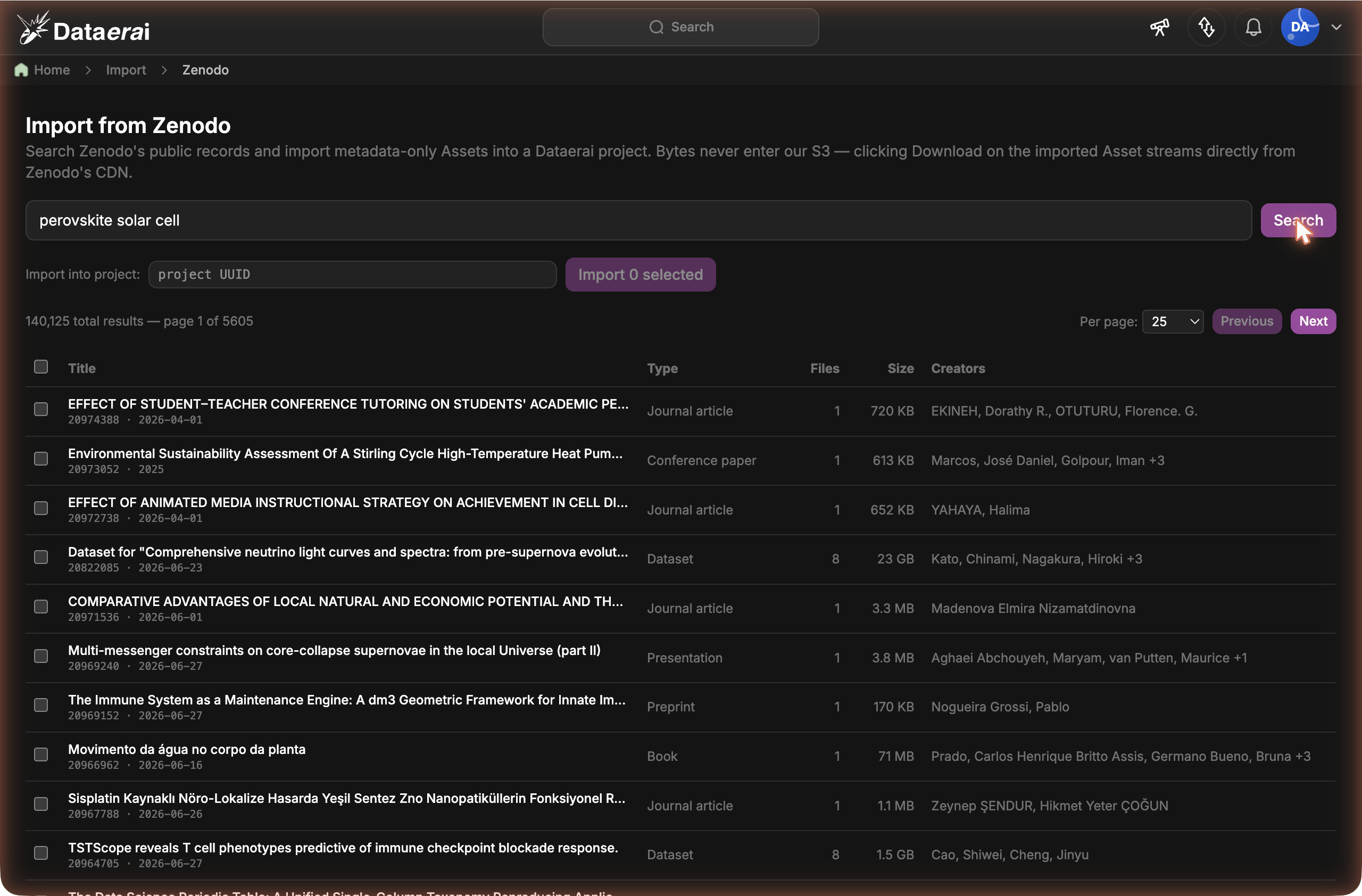
Search Zenodo, select records, set the destination project, and import them as metadata-first assets.
Next steps
Metadata-first assets
How records that describe data elsewhere work in Dataerai.
Organize into collections
Group imported records alongside your own data.
Search & discover
Find imported records by title, type, creator, and metadata.
Sharing & permissions
Decide who can see the records you import.