- Words in a title, description, or alias.
- Tags.
- Creator.
- Collection.
- ID or alias.
- Structured metadata.
- Keyword search for a quick text query with optional filters.
- Structured search for combining multiple conditions with AND, OR, and NOT.
- Search only returns assets you can access.
- Starred assets appear first, followed by the newest matches.
Technical details
Technical details
Keyword search uses
GET /api/search/ to substring-match across title,
description, and alias and AND-combine facets. Structured search uses
POST /api/assets/query/ to compile a JSON boolean tree into a result set.
Matching is substring/ILIKE-based with JSONB containment for metadata, not a
true full-text engine, and results are cursor-paginated by default.Reference for clause types and operators: Search & discover.
Choose what you’re searching
At the top of the search page (and in the search modal) a Search in selector lets you choose what kind of thing you’re looking for. The scopes are:- Assets — your data records (the default; everything below in this tutorial).
- Collections — your folder-like containers.
- Projects — your top-level workspaces.
- People — researchers, by name.
- Publications — scholarly works.
- Grants — funding awards.
Which scopes appear depends on what your Dataerai site has enabled. Assets
and Collections are always available; the others are turned on per site.
Set up
The notebook creates a small project and asset so the searches have a hit. SetDATAERAI_SERVER to your Dataerai site and DATAERAI_TOKEN to an access token
for your account.
1. Keyword search
A keyword search matches your term as a case-insensitive substring across each asset’s title, description, and alias, and returns the assets you can access. Multiple whitespace-separated tokens are each required (AND’d). Results are ordered starred first, then newest and come back one cursor-paginated page at a time (default 100 rows). You can narrow it with facets —collection, id,
tags, creator, and repeatable metadata filters — all AND-combined with the
keyword.
In the app
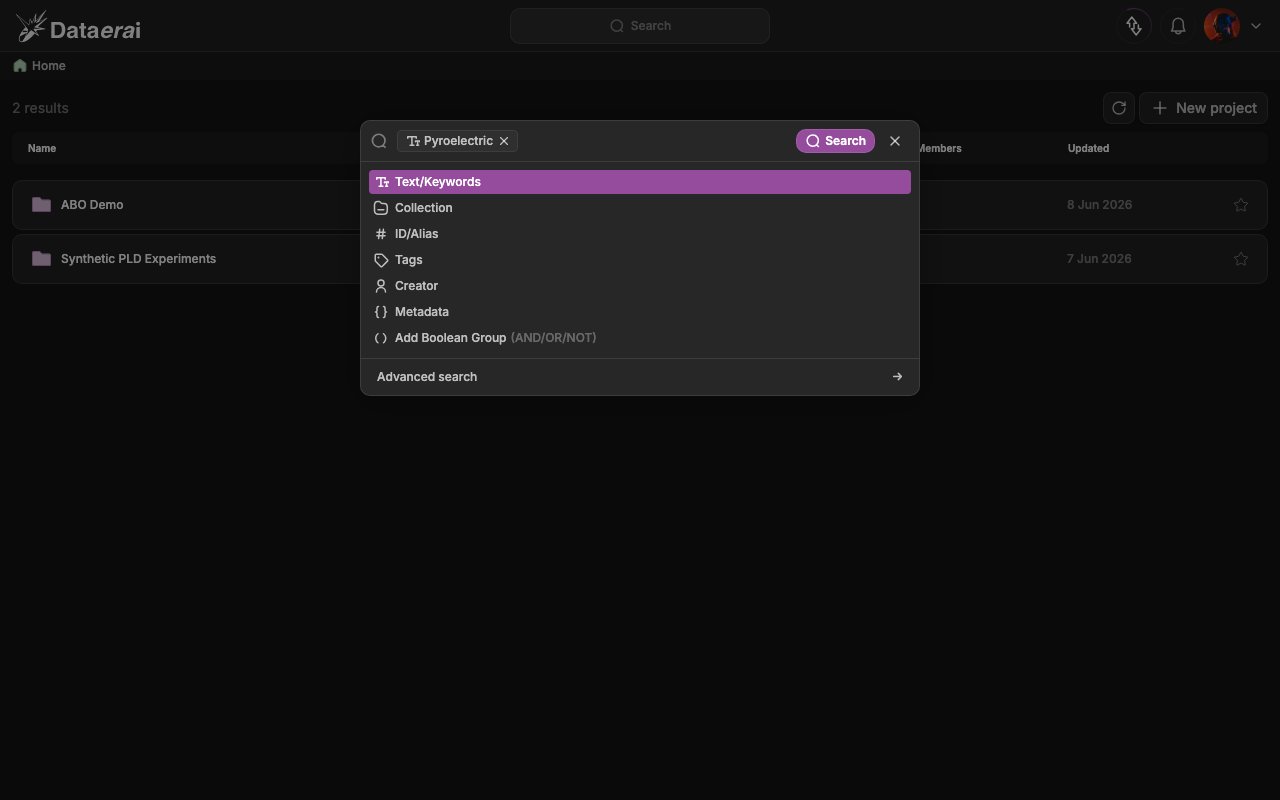
- From anywhere in the signed-in app, open the search modal: click the centered Search pill in the top bar, or press Cmd/Ctrl + K.
- Type a term in the input (placeholder “Type something or select saved queries”). A category dropdown lists the clause kinds: Text/Keywords, Collection, ID/Alias, Tags, Creator, Metadata.
- Pick Text/Keywords to commit your term as a chip, then press Enter (or click the purple Search button).
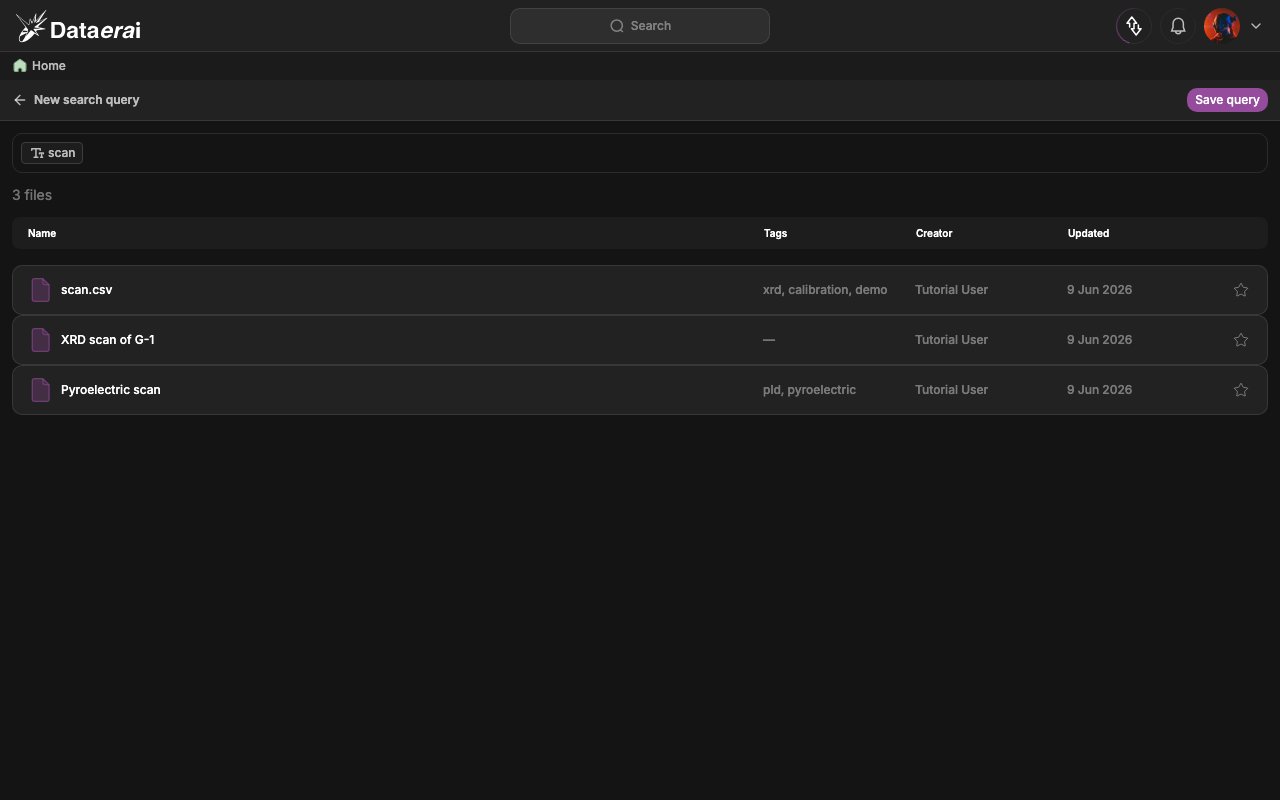
- You land on the
/searchresults page: the header reads New search query (with a Save query action), the filter bar shows the active expression, the count line reads “Searching…” then “N files”, and the results table lists matching assets with infinite-scroll paging.
GET /api/search/.
Technical details
Technical details
The response is a bare JSON array of
AssetSearch objects, not wrapped in
{results: ...}. Pagination is carried in response headers: X-Has-More and
X-Next-Cursor. Pass the cursor back as ?cursor= to fetch the next page.metadata is repeatable: "key:value" is JSONB containment, a bare "key" tests
key existence. search_metadata=true also substring-scans metadata values (it
disables the GIN index, so avoid it on large datasets).
2. Structured search across categories
When one keyword is not enough, build a structured query combining multiple categories with full boolean logic. This is the engine behind the search modal: the GUI’s clause builder compiles your expression into a JSON query tree and posts it toPOST /api/assets/query/.
The tree nests {"and": [...]}, {"or": [...]}, and {"not": <node>} over leaf
predicates:
{"text": "<str>"}— substring across title/description/alias{"collection": "<uuid>"},{"id": "<uuid-or-alias>"},{"tag": "<str>"},{"creator": "<name-or-email>"}- metadata operators:
{"eq": {"path": v}},{"ne": ...},{"gt"|"gte"|"lt"|"lte": {"path": num}},{"exists": "path"},{"not_exists": "path"},{"contains": {"path": "str"}},{"contains_keywords": {"path": "str"}},{"array_contains"|"array_not_contains": {"path": v}}
measurements.depth). The compiler accepts up to 64 normalized OR branches.
In the app
- Open the search modal (Search in the top bar, or Cmd/Ctrl + K) and start typing.
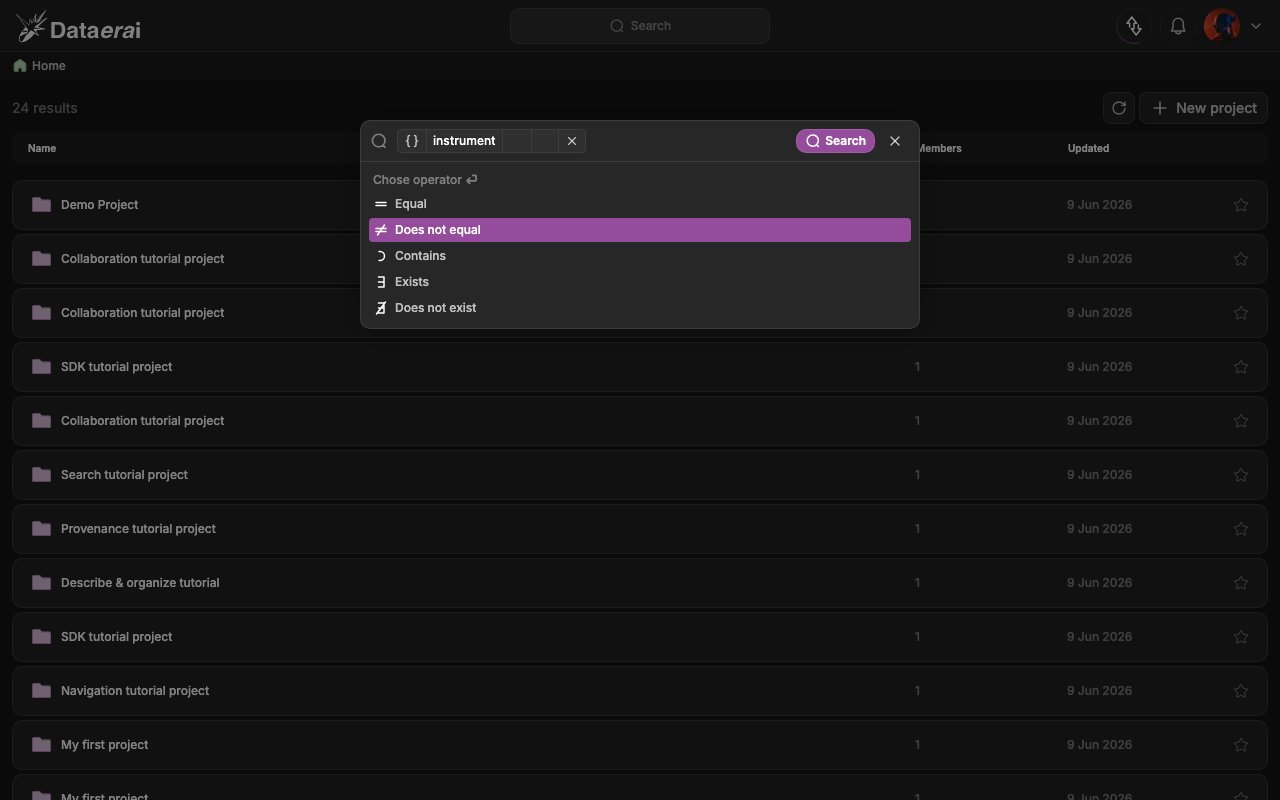
- Pick a clause kind from the dropdown. For Metadata, a 3-step picker runs: choose a data type (Numerical / String / Boolean / Array, under the header “Chose data type”), then an operator (“Chose operator” — e.g. Equal, Greater than, Contains, Exists), then enter a value. For Collection, a collection-tree picker opens.
- Combine clauses: click Add Boolean Group (AND/OR/NOT) to add a row, and use the join chips between clauses to switch AND / OR / NOT. The bar shows a plain-language summary of the expression.
- Click the Search submit button. You land on the search results page with your expression preserved in the browser URL.
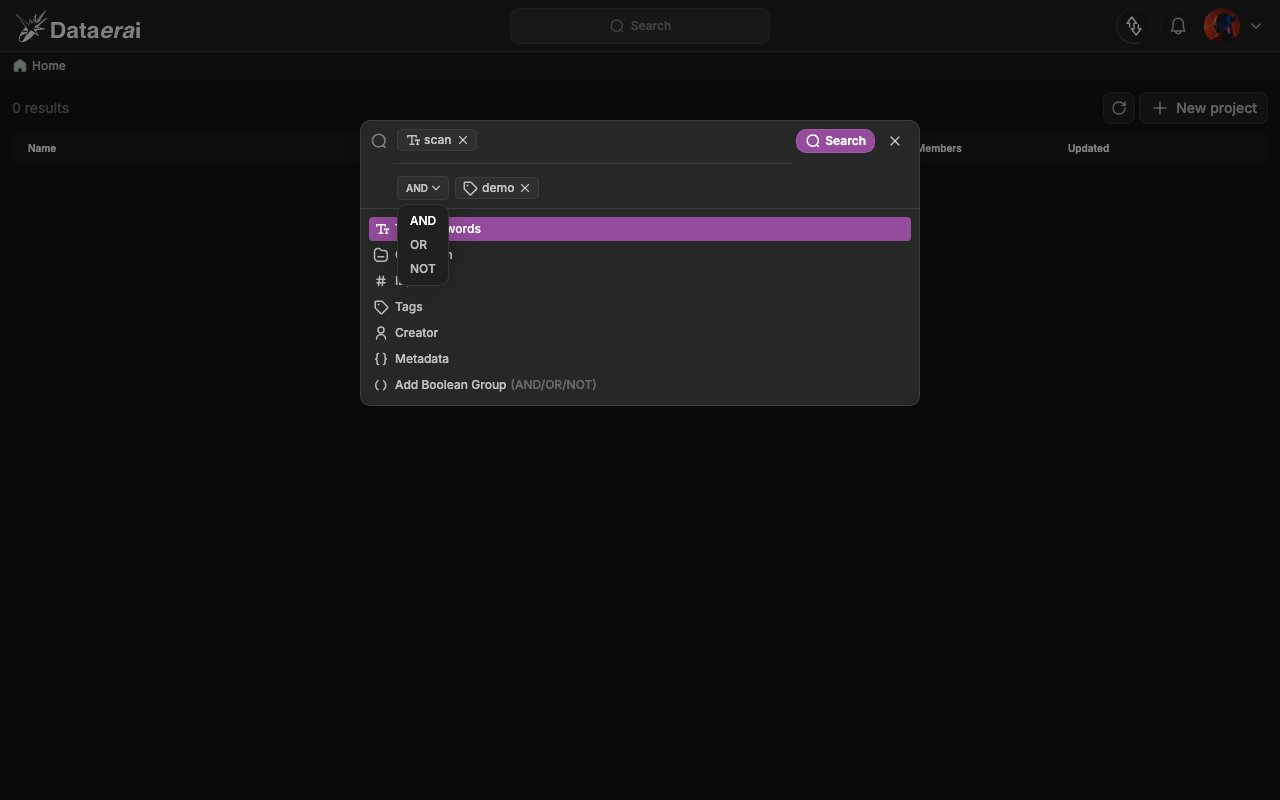
query tree to POST /api/assets/query/.
Technical details
Technical details
limit and cursor are request parameters; the body’s query is required,
and you can add optional pre-filters such as tags (AND-combined),
owner_type/owner_id, collection_id, or locked. The response is a bare
JSON array of full Asset objects with the same cursor headers. An
X-Post-Filter: true header appears when operators like ne, not_exists, or
contains require a Python post-filter pass.3. Advanced (graph) search
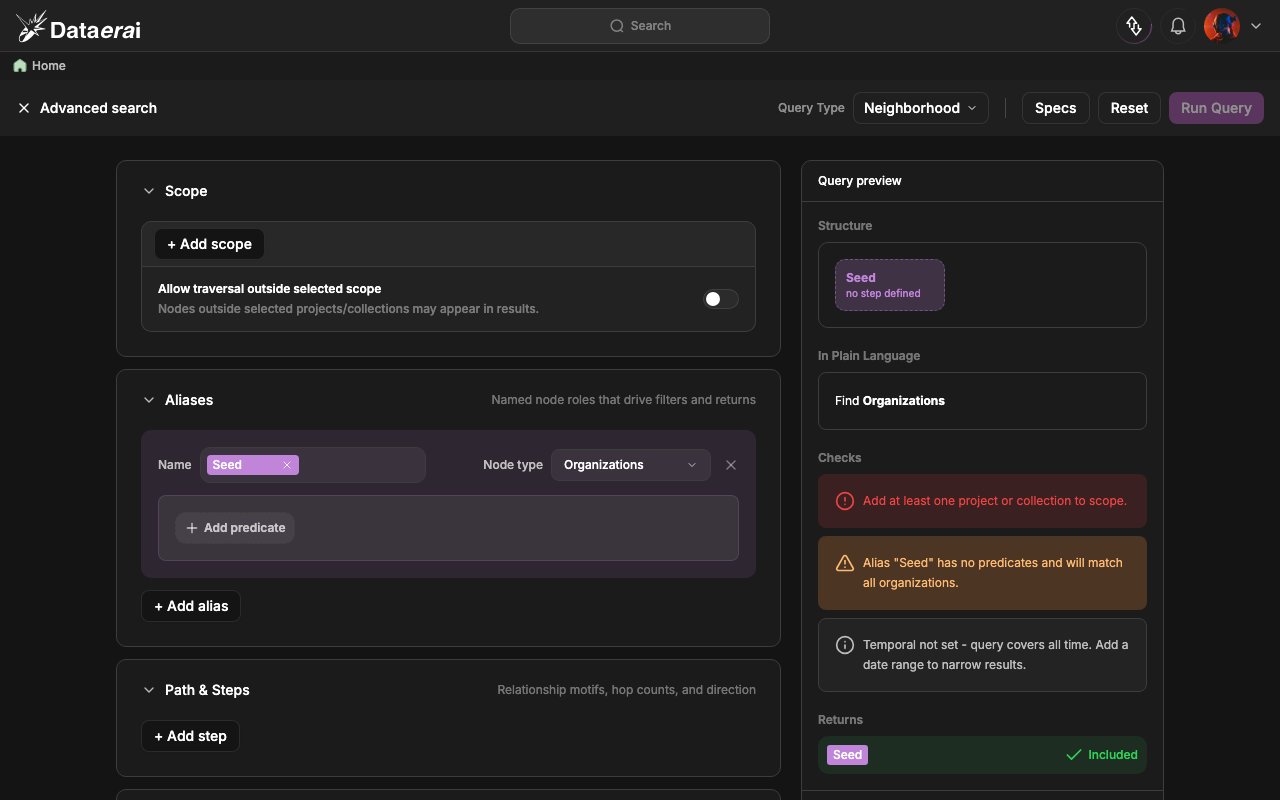
Advanced search runs relationship-aware queries over the provenance graph — following the links you create in Provenance & relationships. Open it from the Advanced search → entry at the bottom of the search modal. The builder lets you pick a query type, set a scope of where to look, name node roles with aliases, add path steps along relationships, and choose what to return. A live preview shows a plain-language summary and runs validation checks before you click Run Query. Query types include Neighborhood, Multi-Hop, Shortest Path, Pattern Match, Reachability, Lineage, Similarity, Aggregation, Centrality, Community, Integrity, and Temporal Slice. For example, a Lineage query traces a record’s ancestors (upstream) or descendants (downstream); a Shortest Path query finds how two records are connected.